

Looking for VIBES ON VIBES music? Yo Maps’ fourth studio album arrived on April 24, 2026, under Olios Records. It has 16 tracks, with collaborations spanning African music scenes. Match the artist and album title to find the full release, rather than an individual song or an unrelated result.
This guide brings together the album details, track order and listening options. Use the tracklist to find a song or featured artist, then choose whether to stream or download the album.
Explore the songs, including guest appearances from Mafikizolo, Rotimi, Harmonize, Stonebwoy and more. ZedLoaded Music offers free streaming and downloads, with no paid subscription required.
Key Takeaways
- Identify Yo Maps’ album using its title and release details.
- Use the VIBES ON VIBES music track guide to follow all 16 songs in release order and find listed featured artists.
- Choose a starting track by its position, featured artist or bonus-track label.
- Use the album’s Afro-Pop genre tag as a broad guide, then listen to the tracks to form your own impression.
- Stream or download the album on ZedLoaded Music for free, without a paid subscription.
VIBES ON VIBES Music: What Is Yo Maps’ 2026 Album?
VIBES ON VIBES is an album by Yo Maps, released on April 24, 2026. Its album listing identifies the genre as Afro-Pop and gives a 16-track sequence with a total runtime of 59 minutes. Released under Olios Records, it’s a full album rather than an individual song.
When searching for VIBES ON VIBES music, use both the artist name and album title. Search results may include individual tracks or other uses of the same phrase. Checking the release details helps you identify the album, while the track guide below makes it easier to find a song, confirm its position or look for a featured artist.
Who is Yo Maps, and what is the album?
Yo Maps is the artist named on the album listing. To find this release, match his name with the title VIBES ON VIBES and the 2026 release date. For a broader overview of his career and releases, see Yo Maps' Discography.
The album’s Afro-Pop label is a genre tag, not a description of how every track sounds. The song sequence and credited guests give you more specific information about the release. Listen to the songs to decide which styles or sounds stand out to you.
What do the album details tell listeners?
Use these details to identify the album and plan how you want to listen:
- Artist: Yo Maps
- Release date: April 24, 2026
- Genre: Afro-Pop
- Track count: 16
- Runtime: 59 minutes
- Label: Olios Records
The 16 tracks run for 59 minutes in total, so you can plan a complete listen or choose individual songs from the track guide. Use the titles and featured-artist credits to find specific entries rather than relying on a search preview, which may show only part of the album.
Release details such as the date, genre, track count and runtime help identify the album. They don’t tell you which tracks will suit your taste. Use the tracklist to choose a starting point, then decide for yourself which songs you want to replay.
What Does VIBES ON VIBES Sound Like? Album Context for New Listeners
The album listing classifies VIBES ON VIBES as Afro-Pop. That broad label identifies the genre, but it doesn’t describe the instruments, rhythms or themes of each track. Treat it as a starting point, then listen to the songs and form your own impression.
Quick guide: VIBES ON VIBES is Yo Maps’ 2026 Afro-Pop album.
Genre tags offer a quick way to orient yourself, but they don’t capture every detail of an album. The credited collaborations and track order provide concrete information to guide your first listen. For official artist background and release context, consult the Official Yo Maps Biography. Keep reference details separate from your personal response to the music.
How should first-time listeners approach the album?
For a guided first listen, start with “Negative Energy,” the opening track, then continue in the order shown in the track guide. This is a simple way to experience the full sequence. It doesn’t assume anything about the meaning of a song based on its title.
If you have less time, choose a collaboration from the guide and start there. You can return to the opener and continue through the album when you’re ready for a full listen. The tracklist gives you titles, order and guest credits to help you choose.
What does Afro-Pop mean in this album listing?
Afro-Pop is a broad label for popular music connected with contemporary African music scenes. Here, it’s the genre assigned to the album listing. It doesn’t mean all 16 tracks share the same sound, instrumentation or arrangement. Listen to individual songs to notice how they differ.
For a useful first listen, focus on details you can identify: track titles, sequence and credited guest artists. Then make your own notes about the sounds you hear. This keeps genre information separate from personal impressions of the music.
- For the album sequence: begin with “Negative Energy” and follow the listed order.
- For a focused first listen: choose a song with a featured artist named in the track guide.
- For your own take: listen to the tracks rather than relying on assumptions based on the genre label.
Ready to hear the songs? Find VIBES ON VIBES music on ZedLoaded Music and explore the album through free streaming or downloads.
VIBES ON VIBES Tracklist: A Verified Song-by-Song Roundup
Use the tracklist below to follow all 16 songs in order, find featured-artist credits and choose where to start. The notes focus on track position and named features, without guessing at lyrics, themes, instrumentation or popularity.
How to read the track order
The numbered sequence follows the album tracklist. Titles and featured artists appear as listed, including the bonus labels on the final tracks. Where no featured artist is named, the guide simply shows no feature credit for that track.
- Negative Energy. Album opener. Start here to hear the tracklist from its first entry.
- Budget (feat. Frank Ro, Dizmo, Kingtec). The first listed collaboration, with three featured artists named.
- My Darling (feat. Mafikizolo). Mafikizolo is the featured act credited on track three.
- Hello. Fourth in sequence, with no featured artist named.
- Touch Me (feat. Rotimi). The track listing credits Rotimi as a featured artist.
- Sanity (feat. Innoss'B). Innoss'B is named in the feature credit.
- Bae Bae. Track seven, with no featured artist named in the listing.
- Condom (feat. Bobby East). Bobby East is the listed featured artist.
- Am Begging. Ninth in the album order, with no feature listed.
- Moses (feat. Harmonize). Harmonize appears in the track’s feature credit.
- Chafina (feat. Muzo). The listing names Muzo as a featured artist.
- Its Over (feat. Makhadzi). The supplied title is written “Its Over,” with no apostrophe.
- If You Like (feat. Digo). Digo is the featured artist named on track thirteen.
- Charley (Bonus) (feat. Stonebwoy). The bonus label and Stonebwoy credit appear in the listing.
- Miracle (Bonus). The second bonus track, with no featured artist named.
- So Deep (Bonus). The final listed song, marked as a bonus track.
What makes these notes useful?
The track guide gives VIBES ON VIBES music listeners a straightforward way to navigate the album. Follow the order for a full listen, or scan the feature credits to find a collaboration. A credit tells you which artist is listed on a track, not what the song sounds like.
Use the exact title and feature credit when searching for or sharing a song. The bonus labels identify the final three entries, so you can find them quickly if you want to jump to the end of the album. With the complete sequence in view, it’s easier to find one song or explore the collection from start to finish.
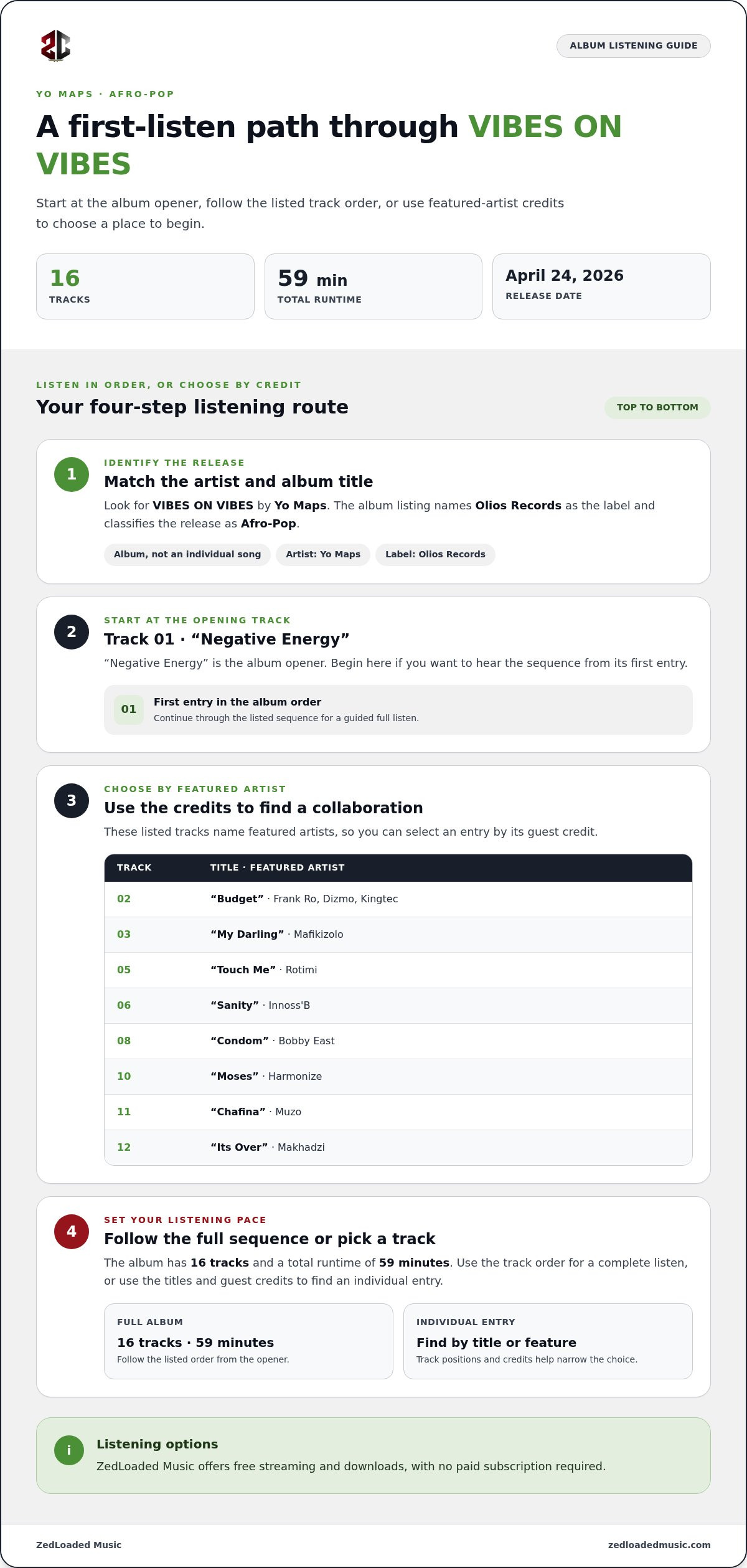
How to Choose Your First VIBES ON VIBES Tracks
Choose a starting point based on how you like to listen: follow the album sequence, pick a collaboration or jump to a bonus track. These are practical ways into VIBES ON VIBES music, not an official ranking. The release listing gives you titles, order and featured artists, while your listening experience helps you decide which songs you prefer.
Which track should a new listener play first?
For a straightforward introduction, play “Negative Energy,” the opening track, then continue in sequence to hear the album as arranged. If you’re more interested in a guest appearance, choose one of the collaborations below. Both approaches use the listed order and credits to help you pick a first track.
How can fans compare tracks before listening?
Compare the details that are easy to scan: track position, feature credits and bonus status. The guide below gives you a reason to choose each entry without making assumptions about themes, lyrics or sound. Pick the detail that interests you, then listen to the track.
“Negative Energy”
Track 1. Choose it to begin at the album’s opening and follow the release sequence from the start.
“Budget” (feat. Frank Ro, Dizmo, Kingtec)
Track 2. Pick it if you want to start with a song listing three featured artists.
“My Darling” (feat. Mafikizolo)
Track 3. A listed collaboration with Mafikizolo, placed early in the sequence.
“Touch Me” (feat. Rotimi)
Track 5. Choose this entry if Rotimi’s feature credit is your preferred starting point.
“Moses” (feat. Harmonize)
Track 10. A later album collaboration, credited to Harmonize.
“Charley (Bonus)” (feat. Stonebwoy)
Track 14. Select it to jump to the bonus-marked section and a track featuring Stonebwoy.
“Miracle (Bonus)” or “So Deep (Bonus)”
Tracks 15 and 16. Choose either to start with one of the final bonus entries; neither has a featured artist named in the listing.
Try a simple listening plan: play the opener, choose a collaboration whose credit catches your eye, then compare it with a bonus track. This gives you three points in the sequence to explore. If you want to find more music after choosing a starting point, this free Zambian music downloads guide explains ways to find and save Zambian tracks.
Ready to hear your picks? Stream or download VIBES ON VIBES on ZedLoaded Music.
Stream or Download VIBES ON VIBES on ZedLoaded Music
Ready to listen? ZedLoaded Music offers VIBES ON VIBES for free streaming and download, with no paid subscription required. Search by the album title and artist name to find the right release, then choose how you want to listen.
How to find the album on ZedLoaded Music
Go to ZedLoaded Music and look for the VIBES ON VIBES album listing. Match the title with Yo Maps before selecting it, particularly if your search returns similarly named results. Once you open the album listing, choose streaming or download to access the music.
- Open ZedLoaded Music. Go to the music listings and look for the album title.
- Match the release. Select VIBES ON VIBES by Yo Maps, rather than another song or result with a similar name.
- Choose how to listen. Stream the album or use the download option on the listing.
Searching with both the artist and album title helps you find the intended release. Use the track guide to recognize songs by their titles, order and credits. Start with the album listing for the full collection, or use a song title to find a particular track.
When should you stream or download?
Choose streaming when you want to listen online without downloading the music first. It’s a direct way to start the album and move through the songs. Downloading lets you save music for later listening. ZedLoaded Music offers both options for free, without a paid subscription.
Choose the option that fits your plans. If you want to listen now, start streaming. If you want to save music for later, choose the download option and follow the instructions on the listing.
Whether you’re starting at track one or choosing a collaboration, search with the album and artist names together. Once you have the correct listing open, choose between streaming and downloading, then listen in the order that works for you.
Discover and stream or download VIBES ON VIBES on ZedLoaded Music.
Make Your Next Listen Your Own
Choose how you want to explore VIBES ON VIBES music. Follow the track order for a full album listen, or begin with a collaboration that caught your eye. Notice which songs you want to replay and build your own shortlist from there.
Listen on ZedLoaded Music, where fans worldwide can access free Zambian music streaming and downloads without a paid subscription. Stream to start listening or download music to save.
Explore and stream VIBES ON VIBES on ZedLoaded Music, then settle in and enjoy the listen.
Frequently Asked Questions
Do I need a paid subscription to listen to music on ZedLoaded Music?
No. ZedLoaded Music offers free music streaming and downloads without a paid subscription. Search for the artist and title together to narrow down results, then choose the album or song you want. You can explore Zambian music on the platform without a paid music plan.
Can I download VIBES ON VIBES tracks to listen to later?
Yes. ZedLoaded Music offers music downloads, including VIBES ON VIBES. Choose the download option for the track you want. After downloading, check your device’s files or music app to locate it. Whether a downloaded track plays without an internet connection depends on where it’s saved and the app you use, so check those settings before relying on it for later listening.
Is VIBES ON VIBES a Yo Maps album or a single?
VIBES ON VIBES is a Yo Maps album, not a single. Search results may also include individual songs or unrelated results, so check that the listing names Yo Maps as the artist and identifies the release as an album. That’s a quick way to find the full VIBES ON VIBES music release.
How can I share a downloaded VIBES ON VIBES track?
To help someone find the music, share the album or track listing rather than sending the downloaded audio file. Copy the page address from your browser and send it through your preferred messaging app. If you want to share a file stored on your device, use its sharing options where permitted. Menu names and available choices can vary by device and app.
How much storage does a downloaded VIBES ON VIBES song need?
The storage needed depends on the individual downloaded file. Check the file’s size in the download details or in your device’s storage after it’s saved; don’t assume every track takes up the same amount of space. If storage is tight, review available space before downloading and remove files you no longer need.
Where can I find the album’s featured artists and credits?
Check the track guide and album listing for song-by-song featured-artist credits. A guest credit applies to the specific track, so look beside that song’s title rather than assuming every collaborator appears across the album. Search by the exact song title to find the featured artist listed for that track.

Article by
Shadrick Katungu


